Define the search
Choose the issue and terms you need to investigate. Exact-word matches locate your chosen wording; synonyms and related terms help you find records that may use different wording.

Skip to content

E1 Trace · FPEP ENTERPRISE
Search exact words and related terms, then check the highlighted source passages before using a result.
Choose the issue and terms you need to investigate. Exact-word matches locate your chosen wording; synonyms and related terms help you find records that may use different wording.
Open the source record and read the surrounding context. A highlighted match helps you locate material; it does not establish that the passage proves your case.
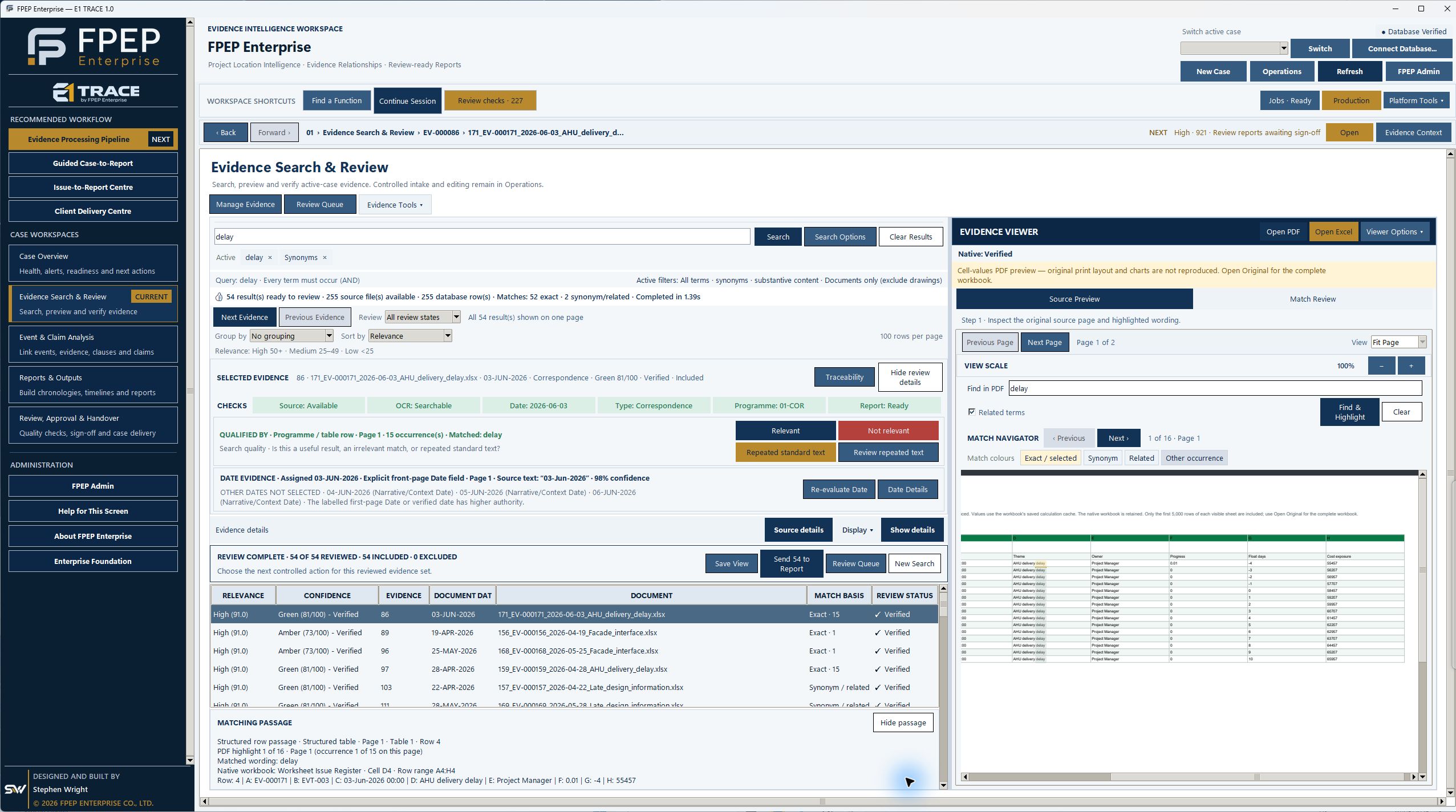
Review dates, source references and review status before using the material in a chronology or report. This keeps the reader able to check the underlying record.
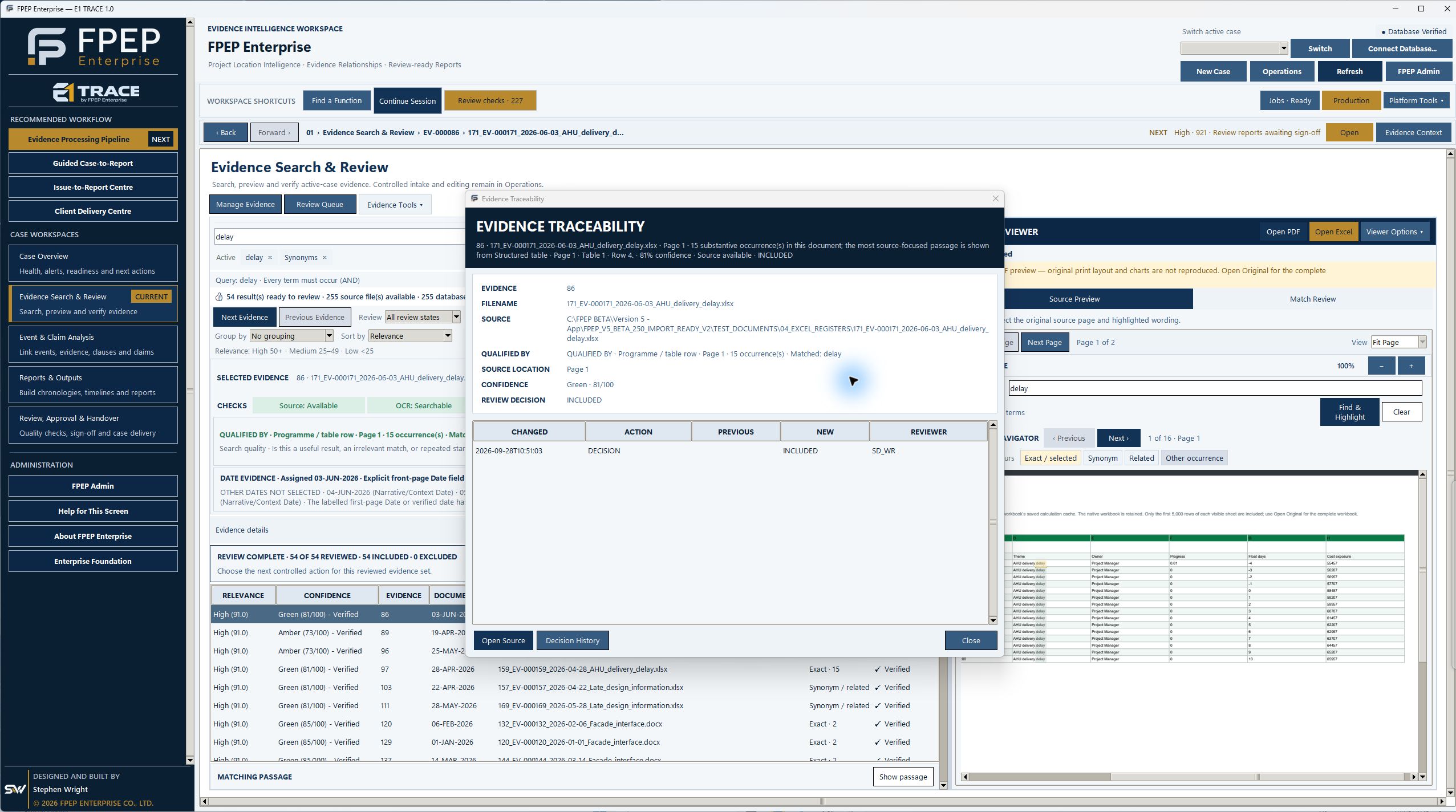
These are working outputs. Review the source information, assumptions and unresolved items before reliance. The outputs do not automatically determine contractual entitlement or responsibility.
Explore more report examples →Screenshots, recordings and papers labelled Version 4 or Version 5 show earlier beta builds. Request a demonstration of E1 Trace to confirm current availability, licensing and setup requirements.
A practical guide to evidence registers, event chronologies and programme references, with a fictional worked example.
Read the EOT records guide →Inspect current E1 Trace screens, from case overview and search to traceability, report readiness and review. Select each image to enlarge it.
Explore the screenshot tour →