Review the chronology evidence
Inspect the report evidence preview before generating a chronology. Check the dates, source passages and verification status, and resolve outstanding items.
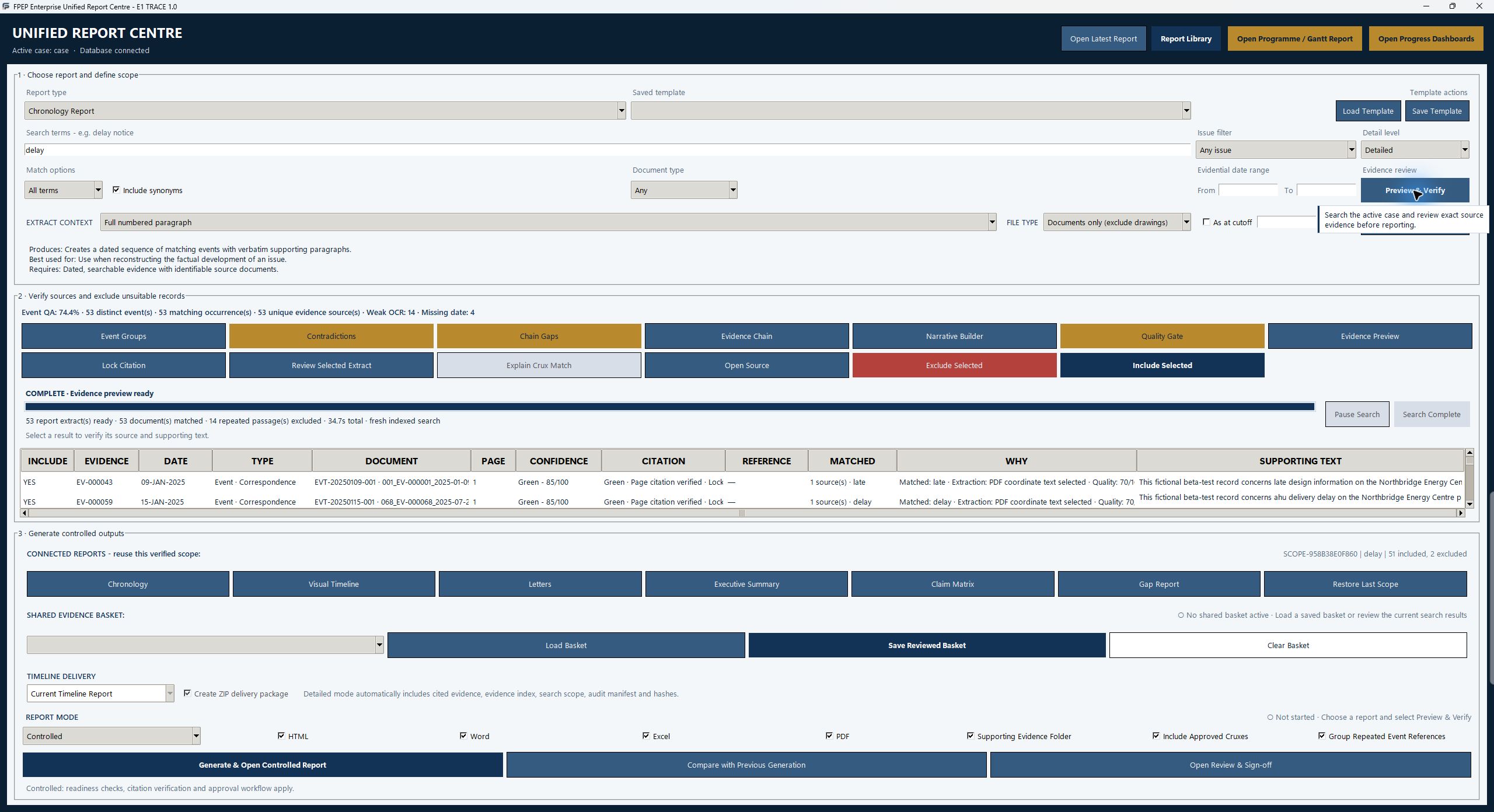
Skip to content

E1 Trace · FPEP ENTERPRISE
Follow the relationship between source records, dated events and working outputs that a practitioner can review.
Inspect the report evidence preview before generating a chronology. Check the dates, source passages and verification status, and resolve outstanding items.
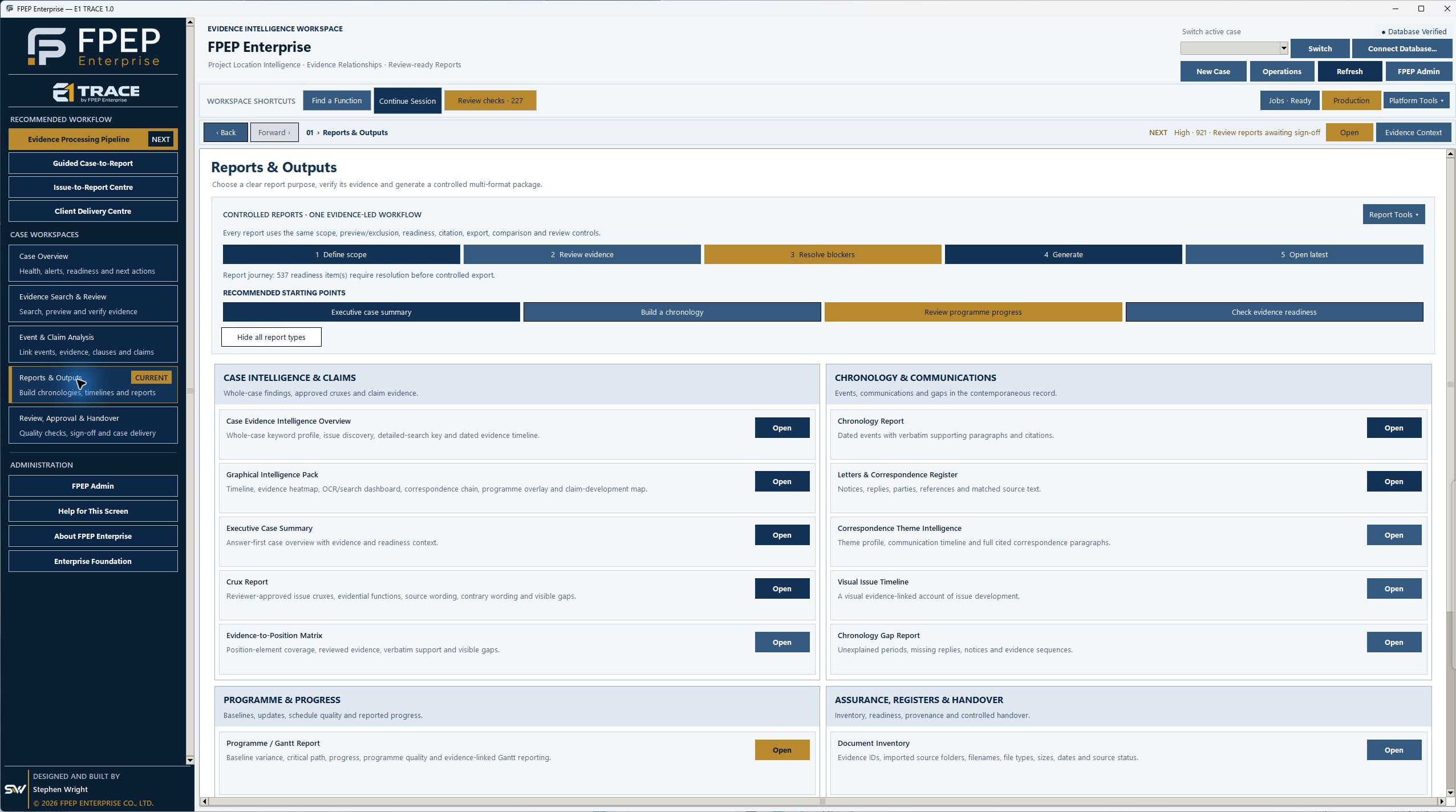
The current Reports & Outputs workspace provides the route to visual issue timelines and other report types. This is the report-selection screen, not a generated timeline.
Review programme revisions, progress curves and completion-date movement in the current E1 Trace demonstration output. These findings require professional interpretation.
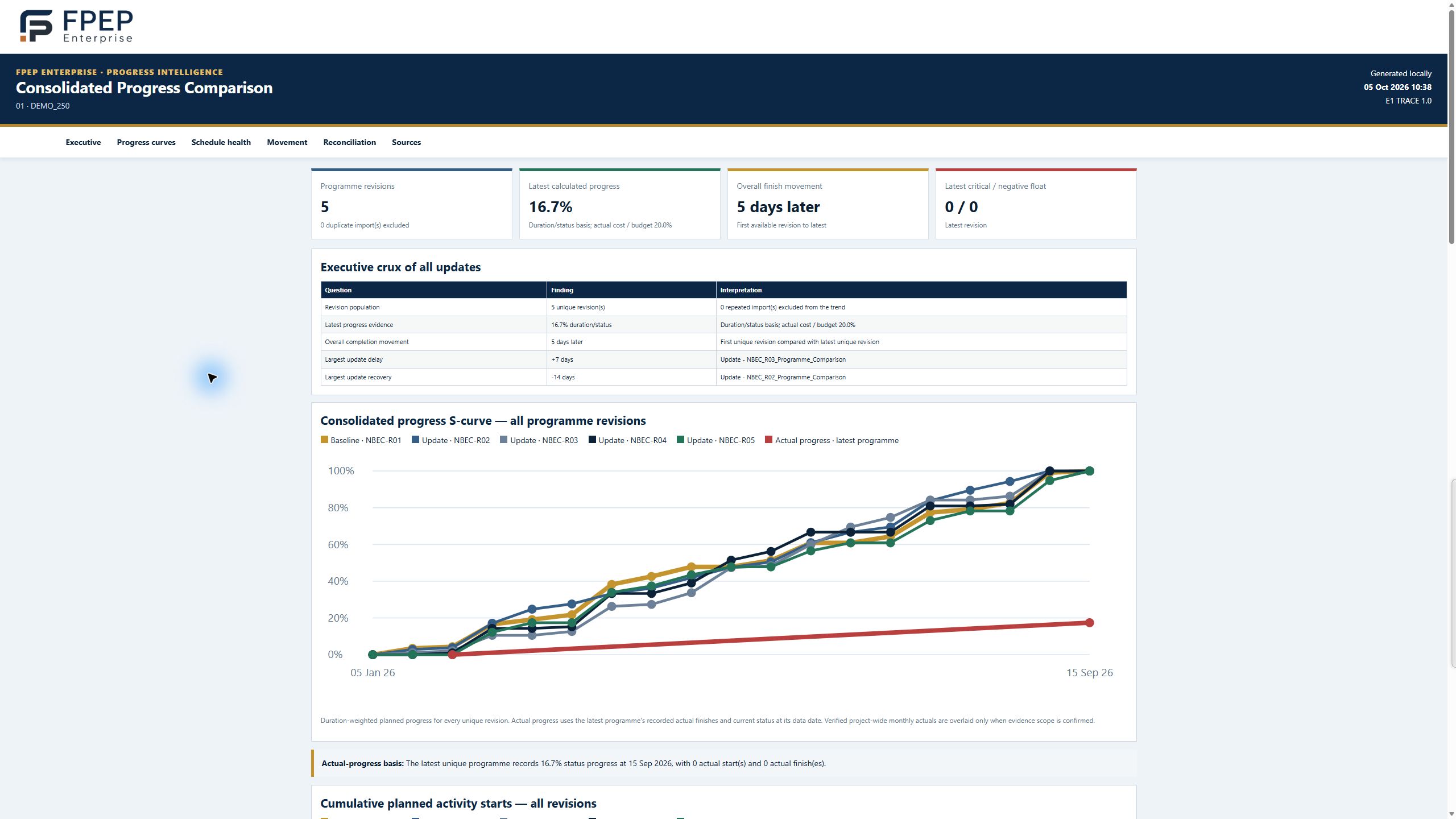
These are working outputs. Review the source information, assumptions and unresolved items before reliance. The outputs do not automatically determine contractual entitlement or responsibility.
Explore more report examples →The screenshots on this page show E1 Trace 1.0. Request a demonstration to discuss current availability, licensing and setup requirements.
A practical guide to evidence registers, event chronologies and programme references, with a fictional worked example.
Read the EOT records guide →E1 Trace 1.0 screenshots captured on 5 October 2026 · Demonstration records